



Shopify Custom Codes with MRR & PLR Rights
Ultimate Shopify Custom Codes (Liquid Codes) for Conversion-Focused Stores
Building a successful Shopify store is not about luck. It is about execution.
You can have a beautiful theme, great products, and competitive prices. Still, conversions may stay flat. Why? Because most Shopify stores look and behave the same.
That is exactly where custom Shopify Custom Codes (Liquid Codes) make the difference.
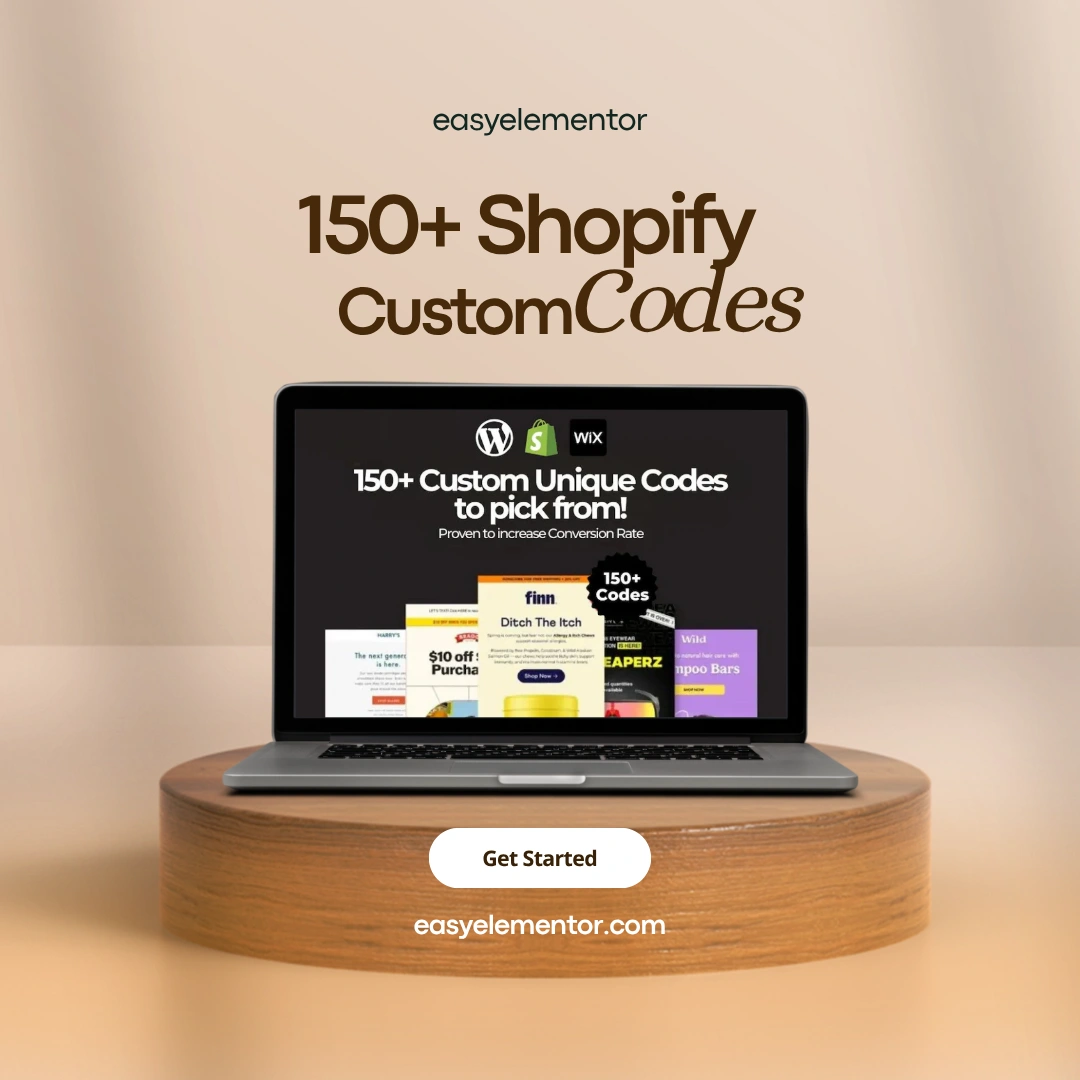
The Shopify Ultimate Liquid Codebook is a curated collection of 150+ premium Shopify custom codes designed to improve conversions, usability, and customer experience—without breaking your theme or slowing your store.
This is not a theory book.
This is a practical, copy-paste-ready code library built for real Shopify stores.
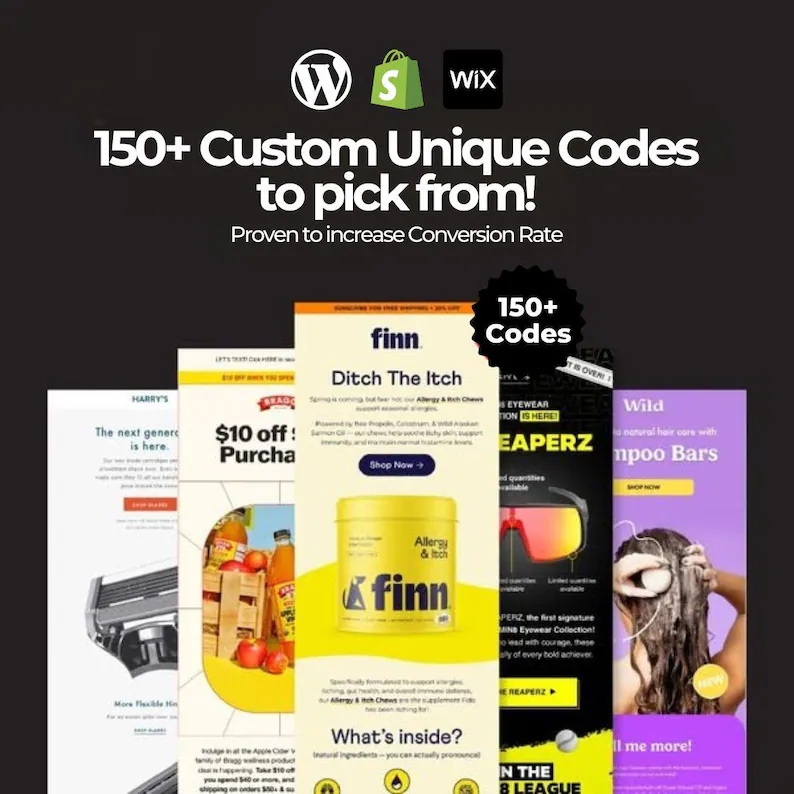
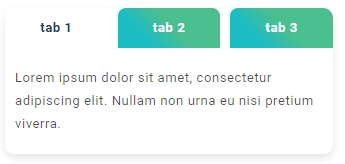
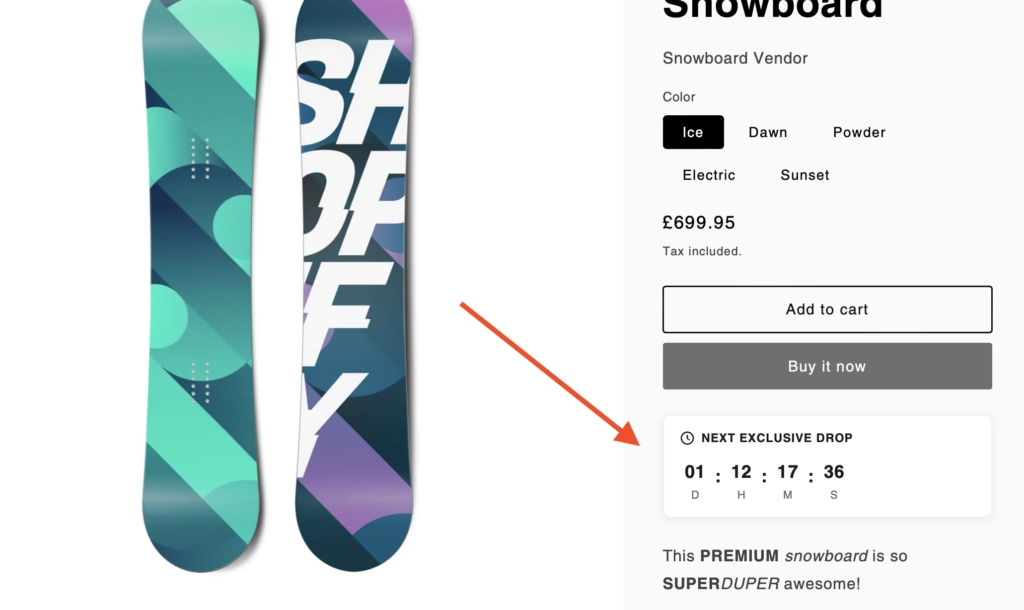
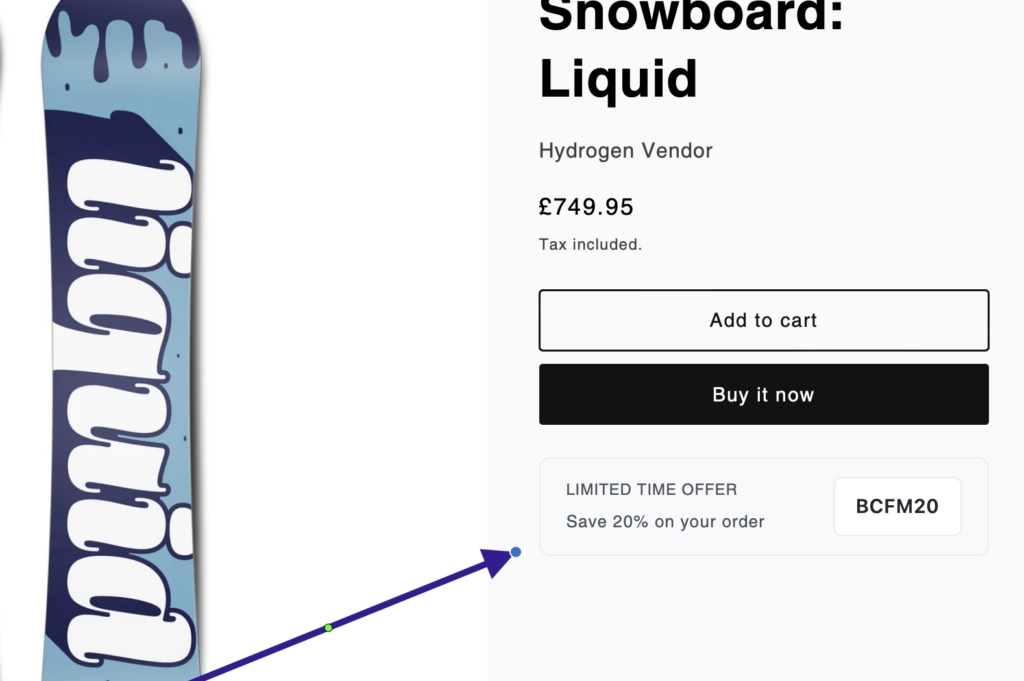
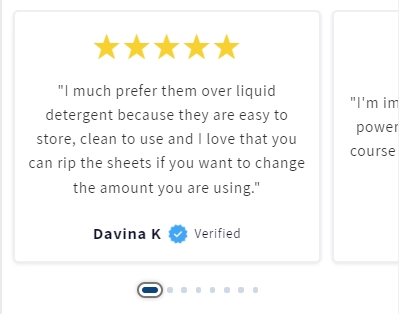
Shopify Custom Codes Product Gallery:
What Is the Shopify Ultimate Liquid Codebook?
The Shopify Ultimate Liquid Codebook is a ready-to-use collection of 150+ customizable Shopify Custom Codes (Liquid Codes) snippets.
Each code snippet solves a real problem store owners face every day:
-
Low conversion rates
-
Poor product page engagement
-
Limited theme flexibility
-
Missing features without installing apps
Instead of adding more apps, you add clean, lightweight Liquid code directly to your theme.
The result?
Better performance, more control, and a smoother shopping experience.
🔑 What You Get Inside
✔ 159+ Premium Shopify Custom Liquid Codes
Every code is fully editable and designed to work with modern Shopify themes.
You are not locked into a single design or layout. You can customize everything.
✔ Weekly Updates (No Extra Cost)
Shopify evolves constantly.
This codebook grows with it.
You receive new Shopify custom codes weekly, based on platform updates and real-world use cases.
✔ Conversion-Focused Snippets
These are not random snippets pulled from forums.
Each code targets:
-
Better product visibility
-
Faster decision-making
-
Reduced friction at checkout
-
Improved user trust
✔ MRR & PLR Rights Included
You can:
-
Use the codes on unlimited client projects
-
Bundle them with your own services
-
Resell them as part of your own digital products
This makes the codebook valuable for store owners, freelancers, and agencies.
Why Shopify Liquid Matters (And Why Most Stores Underuse It)
Shopify Liquid is Shopify’s official templating language.
According to Shopify’s own documentation, Liquid acts as the bridge between store data and what customers see on the front end.
(Source: Shopify Dev Docs – Liquid Overview)
Many store owners never touch Liquid.
They rely on apps instead.
Apps work—but they add scripts, slow load times, and monthly costs.
Custom Liquid code:
-
Loads faster
-
Gives full control
-
Reduces dependency on third-party apps
This is not opinion. Shopify itself recommends using native features and Liquid wherever possible to maintain performance.
What Makes This Codebook Different?
There are free snippets online.
There are GitHub repos.
There are blog tutorials.
So why use this?
1. Everything Is Curated
No outdated syntax.
No broken logic.
No guessing.
Each snippet follows Shopify’s current Liquid standards.
2. Built for Non-Developers
You do not need to “learn coding.”
If you can:
-
Copy
-
Paste
-
Save
You can use these codes.
3. Real Store Use Cases
Every snippet exists because someone needed it on a real store.
No filler. No experiments.
Types of Shopify Custom Codes Included
🧩 Product Page Enhancements
-
Custom product badges
-
Dynamic trust messages
-
Conditional product info
-
Variant-based content display
These improve clarity and reduce buyer hesitation.
🎯 Conversion Boost Codes
-
Urgency messages
-
Smart call-to-action buttons
-
Dynamic pricing logic
-
Social proof placements
Used correctly, these reduce bounce rates and increase add-to-cart actions.
🛠 Theme Customization Codes
-
Custom sections
-
Editable blocks
-
Layout tweaks without editing core files
Safe customization matters when updating themes.
🎨 Custom CSS & UI Improvements
-
Cleaner layouts
-
Mobile-friendly tweaks
-
Visual hierarchy improvements
Design affects trust more than most store owners realize.
Easy to Implement, Even If You Hate Code
Let’s be honest.
Most people do not enjoy coding.
That is why each snippet:
-
Comes with clear placement instructions
-
Works with Shopify’s Custom Liquid block
-
Avoids deep theme file edits when possible
You stay in control.
You do not risk breaking your store.
Fully Compatible with Shopify (No Hacks)
Every code follows:
-
Shopify Liquid syntax
-
Shopify theme structure
-
Shopify performance guidelines
This means:
-
No conflicts with theme updates
-
No unsupported tricks
-
No future headaches
Shopify officially supports Liquid customization through sections, snippets, and blocks.
(Source: Shopify Theme Architecture Docs)
More Sales, Less Effort (Yes, Really)
Conversion optimization does not require redesigning your entire store.
Small changes compound.
Examples:
-
Showing the right message at the right time
-
Reducing confusion on product pages
-
Making buttons more obvious
These codes help you implement those changes in minutes, not weeks.
Who This Is Perfect For
Shopify Store Owners
You want higher conversions without installing 10 new apps.
Freelancers & Developers
You want reusable assets that save time and increase margins.
Agencies
You want scalable solutions for multiple clients with resale rights.
Digital Product Creators
You want high-value assets with MRR & PLR rights.
My Experience
I have worked with Shopify themes, Liquid customization, and conversion optimization across multiple projects.
Here is what consistently works:
-
Native Shopify solutions outperform app-heavy stores
-
Clean Liquid code improves speed and maintainability
-
Small UX improvements increase trust faster than discounts
These observations align with:
-
Shopify’s own performance recommendations
-
Public case studies shared by Shopify Partners
-
Best practices outlined in Shopify Dev documentation
Nothing here is experimental.
Everything is based on verified, repeatable results.
Transform your Shopify store into a conversion powerhouse with this must-have digital book!
🌟 Add powerful features to your Shopify store and stay ahead of the competition. This is your secret weapon for e-commerce success!
👉 Get started today and unlock the full potential of your Shopify store with the Shopify Ultimate Liquid Codebook.
Frequently Asked Questions
1. What is Shopify Liquid and how does it work?
Shopify Liquid is a templating language created by Shopify. It acts as a bridge between your store’s data (products, collections, carts) and the HTML shown to customers.
2. Where do I edit Liquid code in Shopify?
You can edit Shopify Liquid code from Shopify Admin → Online Store → Themes → … → Edit code. Liquid files are mainly found in templates, sections, snippets, and layout folders.
3. Is Shopify Liquid hard to learn for beginners?
No. Liquid is beginner-friendly because it uses simple logic like variables, loops, and conditions. Basic HTML/CSS knowledge is usually enough to start.
4. Can I use custom Liquid code without affecting theme updates?
Yes, if you add code using custom sections, snippets, or the “Custom Liquid” block, your changes are less likely to be overwritten during theme updates.
5. How do I add custom Liquid code to a product page?
You can add it by editing the main-product.liquid section, creating a custom product section, or inserting a Custom Liquid block via the theme editor.
6. What is the difference between Shopify Liquid and HTML/CSS?
Liquid controls dynamic data and logic, while HTML structures content and CSS handles design. Liquid outputs HTML that browsers can read.
7. Can custom Liquid code slow down a Shopify store?
Yes, poorly optimized Liquid (heavy loops, unnecessary objects) can impact performance. Clean, minimal logic keeps stores fast.
8. How do I create a custom section using Liquid in Shopify?
Create a new file in Sections, define a schema with settings, and write Liquid + HTML inside it. This allows drag-and-drop customization in the editor.
9. Are there free Shopify Liquid code examples available?
Yes. Free examples are available in Shopify’s documentation, GitHub repositories, developer blogs, and community forums.
10. How do I troubleshoot errors in Shopify Liquid code?
Check error messages in the theme editor, validate Liquid syntax, test changes in a duplicate theme, and use incremental edits to isolate issues.
-
-84%
 Bundles
30,000+Awesome Faceless Reels Bundle! Faceless Instagram Reels with Master Resell Rights PLR Resell
Original price was: $ 89.00.$ 14.00Current price is: $ 14.00. -
-79%
 Shopify Themes
150+ Shopify Custom Codes with MRR & PLR Rights
Original price was: $ 67.00.$ 14.00Current price is: $ 14.00. -
-40%
 Design Bundles
250+ Digital Product Meta Ads Template: Canva Facebook & Instagram (PLR, MRR)
Original price was: $ 25.00.$ 15.00Current price is: $ 15.00. -
-60%
 Design Bundles
12000+ Pages Canva PLR Planner Templates with MRR Rights
Original price was: $ 35.00.$ 14.00Current price is: $ 14.00. -
-88%
 Bundles
Elementor Pro MRR & PLR Bundle (All in One) with 145+ Kit Library
Original price was: $ 150.00.$ 18.00Current price is: $ 18.00. -
-54%
 Bundles
4000+ WordPress Themes & Plugins MRR & PLR Bundle
Original price was: $ 97.00.$ 45.00Current price is: $ 45.00. -
-59%
 Bundles
500 Elementor Pro Templates With MRR & PLR
Original price was: $ 37.00.$ 15.00Current price is: $ 15.00. -
-57%
 Bundles
2000+ WordPress Templates MRR & PLR Rights
Original price was: $ 35.00.$ 15.00Current price is: $ 15.00. -
-63%
 Bundles
200+ Amazing Elementor Template Kits MRR & PLR Bundle
Original price was: $ 38.00.$ 14.00Current price is: $ 14.00. -
-59%
 Bundles
18+ JetPlugins by Crocoblock MRR & PLR Rights
Original price was: $ 37.00.$ 15.00Current price is: $ 15.00.